Automation & tools
Automation & tools
IPEX automation impact
Upon joining IPEX, I identified that a significant amount of data entry was being performed manually. I developed a plan to automate these tasks and presented it to management. I learned Excel and SolidWorks VBA for this role and implemented tools that eliminated repetitive work for four engineers.
Below, I walk through the problem context and how I solved it across several workflows.
117
Hours saved annually
$5,850
Annual value generated
4
Engineers enabled
IPEX · 2023–2025 · Based on $50/hr engineering rate (117 h × $50 ≈ $5,850).
Master dimension sheet — problem and pivot
The problem
Every part we created required specific callouts and dimensions to be registered into a master dimension sheet. This was a tedious, manual process.
The initial attempt
My initial solution was a Python script designed to map callout locations to dimensions and export them to Excel. While the code worked, our IT department restricted the installation of the necessary libraries.
The final solution
Instead of giving up, I pivoted. I taught myself SolidWorks VBA macros to achieve the same result inside the company’s existing software stack, so the project succeeded without compromising IT security.
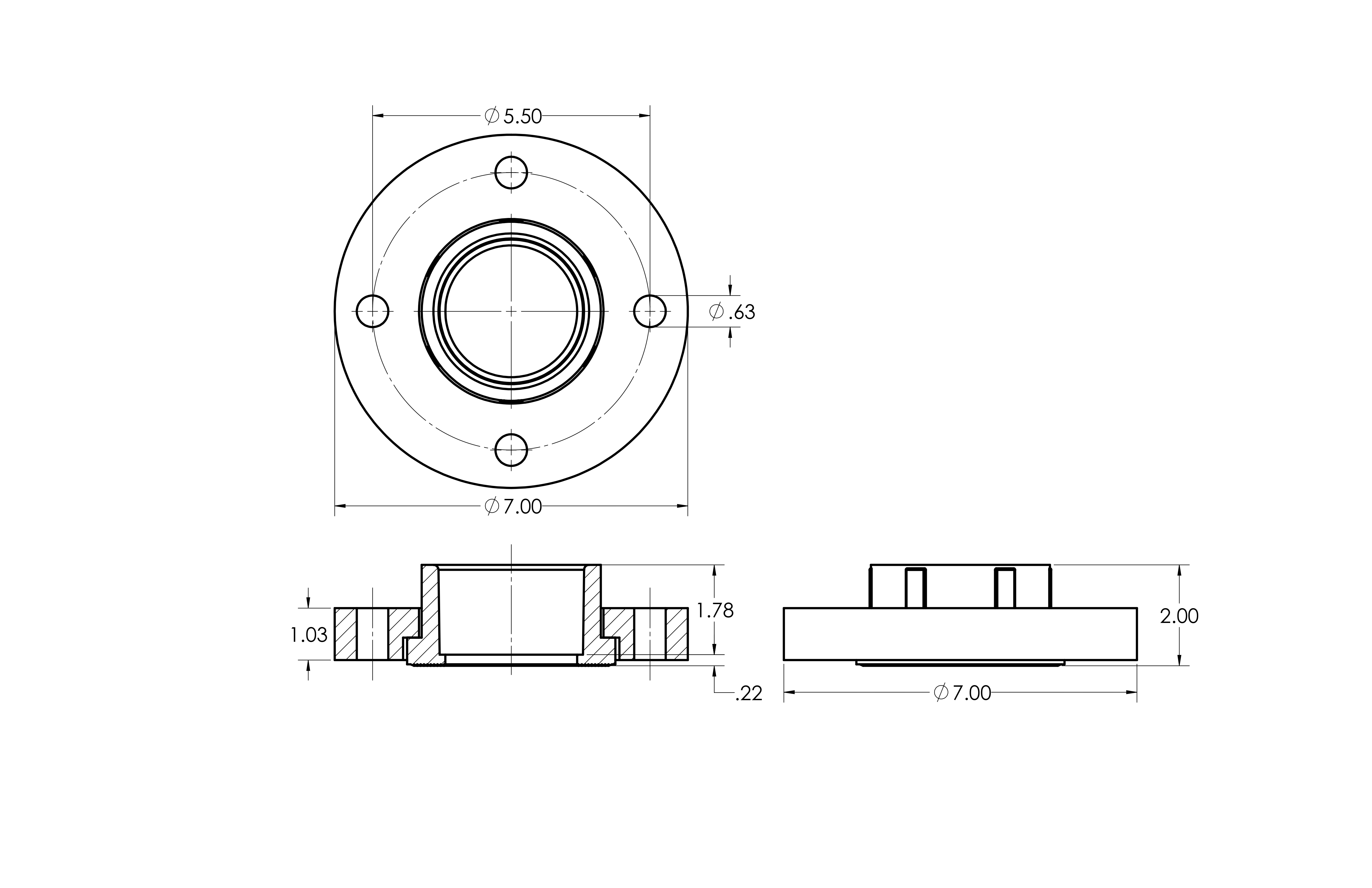
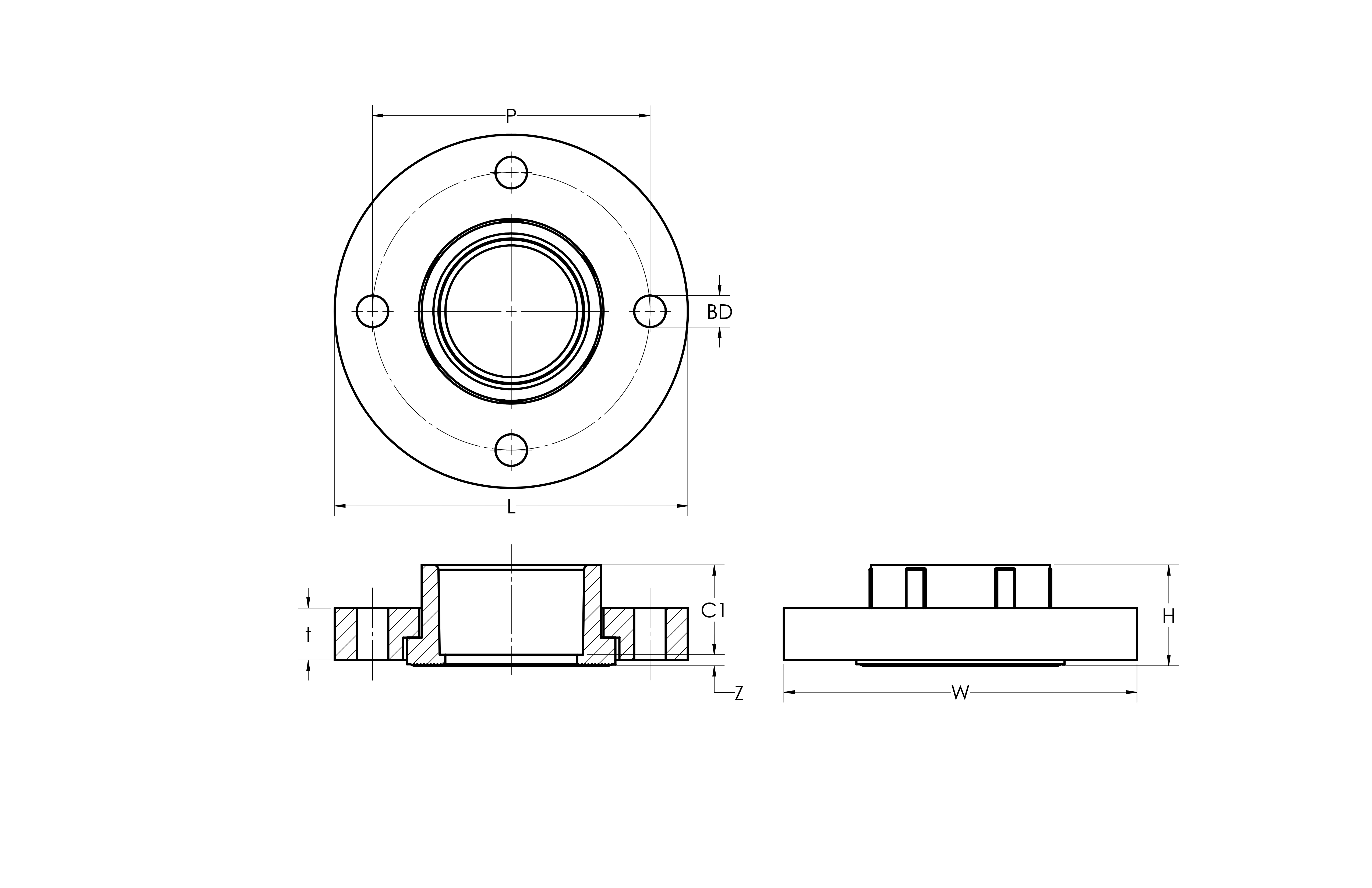
2.1 Master product sheet upload
Master product sheet upload
The problem
The engineering team manually entered part creation dates and drawing dates into an Excel sheet for every new part designed.
The process was tedious, error-prone, and consumed engineering time that could have gone to design work.
The solution
Developed an Excel VBA macro that automates the entire data-entry flow. Single-click automation replaces manual entry.
1 min → 5 sec
Per-part time reduction
45
Parts / week
4
Users
39 hours saved / year
Eliminated data-entry errors
2.2 Master dimension sheet upload
Master dimension sheet upload
The challenge
Engineers manually transferred dimensional data (L, W, H, etc.) from SolidWorks to a master sheet — one dimension at a time, averaging seven dimensions per part. The process took about two minutes per part and was highly error-prone.
Dual-system integration
01 · SolidWorks VBA
Extracts dimensional data automatically.
02 · Excel aggregator
Merges individual part files.
03 · Auto-upload
Transfers to the master sheet seamlessly.
2 min → 30 sec
Processing time per part
78 hours / year
Team-wide time savings
Critical manufacturing accuracy
Eliminated dimensional errors · four engineers using daily
2.3 Additional process improvements
Additional projects & support
Cross-departmental request handling
Responded to technical requests from engineering, maintenance, quality, and sales teams.
Process improvements
Identified and implemented workflow optimizations that reduced bottlenecks and improved efficiency across departments.
Documentation & training
Built documentation for automated systems so the team could stay self-sufficient and maintain tools long term.
These systems freed four engineers to focus on design work instead of data entry, improving overall department output and quality.